Set a commute limit for each job
Pick the site and the limit. Every applicant shows their commute against it.
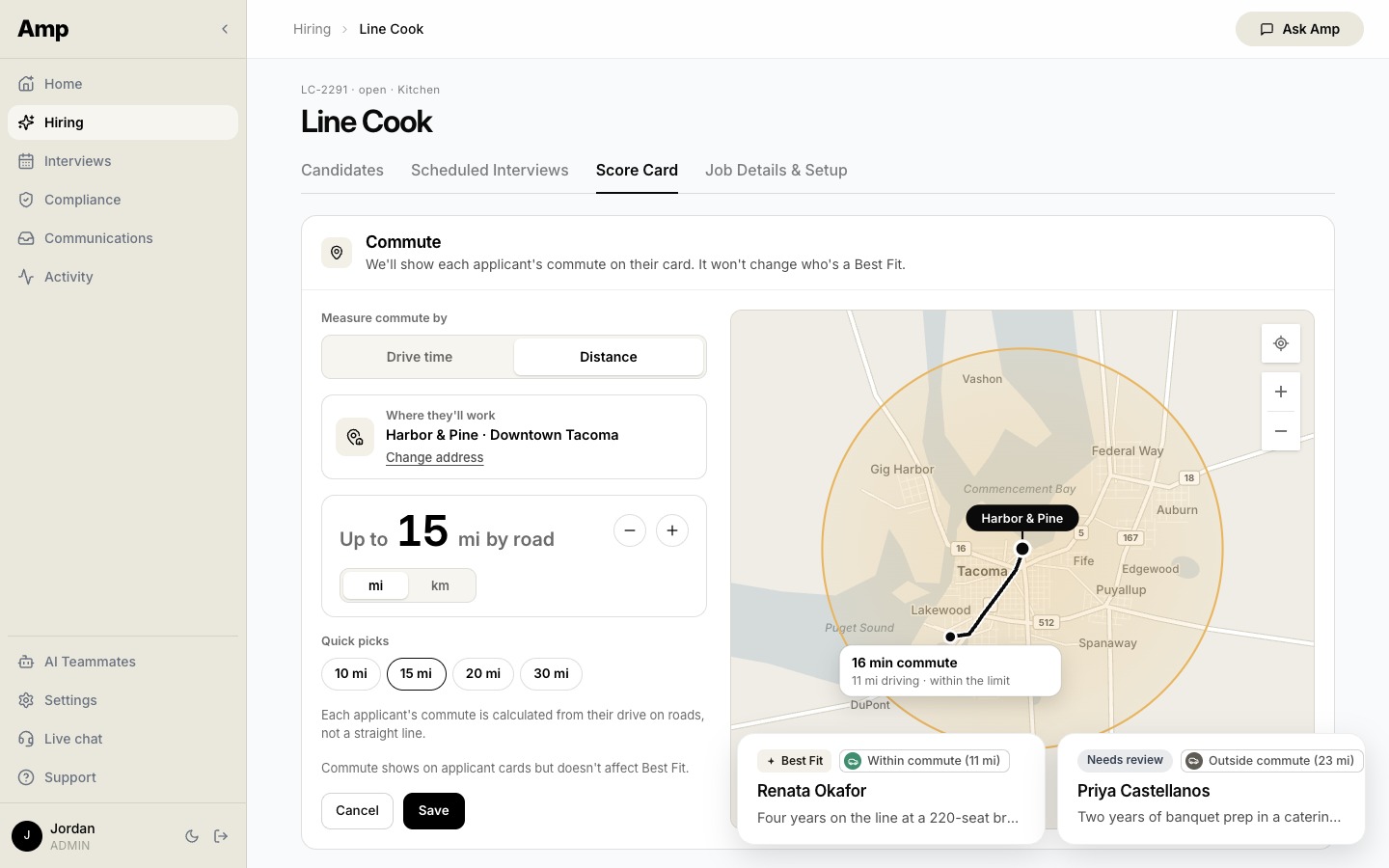
On a job's Score Card tab, a recruiter picks where the person will work and sets a limit, as a drive time in typical traffic or a distance by road. A map shows the area the limit covers, and a tap on it shows that drive.
Each applicant on the job then shows Within commute or Outside commute beside their Best Fit or Needs review label, with the miles or minutes. Amp measures each drive on real roads, not a straight line. The tag is there for the recruiter. It never changes an applicant's score or hides anyone.
Also in November 2026 06
01Screening02Mobile03Messaging04Compliance05Interviews06Integrations
A next step for every candidate
Amp suggests the move. A recruiter approves it.
Amp for iPhone and Android
Review candidates between meetings. Call them with a swipe.
Every AI teammate has its own identity
One address. One number. One voice to the candidate.
Guardrails on scoring criteria
Criteria that name a protected characteristic do not save.
Amp takes notes on the intake call
Book the intake call. Amp brings back the score card changes.
Zoom interviews, notetaker included
Zoom links for Zoom teams. Notes from every call.